
Tags
The Console module parses structured prefixes out of log messages and renders them as color-coded chips in both the log list and the detail view — no manual tagging step required, just prefix your Debug.Log calls with brackets.
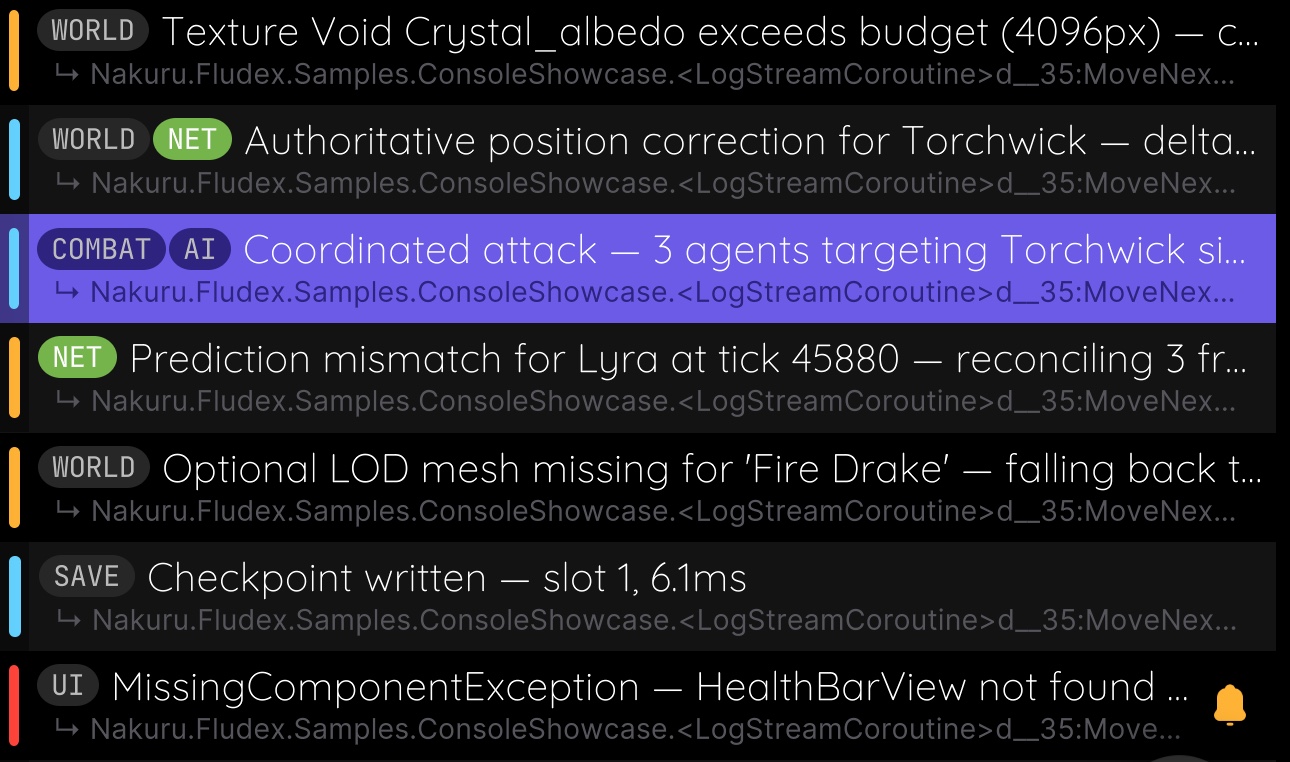
Syntax
Default format: [TAG]: message
csharp
Debug.Log("[Combat]: Player took 120 damage");
Debug.Log("[Combat][AI]: Enemy switched to aggressive stance");
Stack multiple tags before the separator to attach more than one tag to a single message — each renders as its own chip.
You can also use Unity's built-in tag-aware logging instead of formatting the string yourself — ILogger.Log(tag, message) prints as "{tag}: {message}", so as long as the tag argument already includes the brackets, the output still matches the default format:
csharp
Debug.unityLogger.Log("[Combat]", "Player took 120 damage");The raw message, including the tag prefix, is preserved internally, so hiding tags in settings reconstructs the full original text instead of losing it.
Per-Tag Color Overrides
Assign a color to any tag name via ConsoleModuleConfiguration.TagColors, passed to Initialize():
csharp
FludeX.Instance.Initialize(new ConsoleModuleConfiguration
{
    TagColors = new Dictionary<string, Color32>(StringComparer.OrdinalIgnoreCase)
    {
        ["Session"] = new Color32(30, 140, 180, 255),
        ["Combat"]  = new Color32(80, 140, 50, 255),
        ["AI"]      = new Color32(90, 90, 180, 255),
    }
});- Tag name matching is case-insensitive.
- Tags without an override render with the default grey chip style.
- Colors are fixed at initialization — they can't be changed at runtime.
Color guidelines:
- Use dark/saturated colors — chip label text is forced to white when an override is active, so pastel or bright backgrounds hurt readability.
- Avoid pure red — it visually conflicts with the error log level indicator.
- Avoid pure yellow/orange — it can be confused with the warning log level indicator.
Custom Tag Format
The default [TAG]: syntax is configurable via ConsoleModuleConfiguration.TagFormat:
csharp
FludeX.Instance.Initialize(new ConsoleModuleConfiguration
{
    TagFormat = new ConsoleTagFormat("<", ">", " >>"),
});
This would parse <Combat> >> Player took damage instead of the default bracket syntax. Like tag colors, the format is fixed at initialization — it can't be changed at runtime.
Toggling Tags
A Show Tags toggle in the console settings tray lets players hide tag chips entirely — messages fall back to their full original text, prefix included.