
PlayerPrefs
Watch, edit, and clear the game's own PlayerPrefs directly from the panel — built on Core's PlayerPrefs Access service.
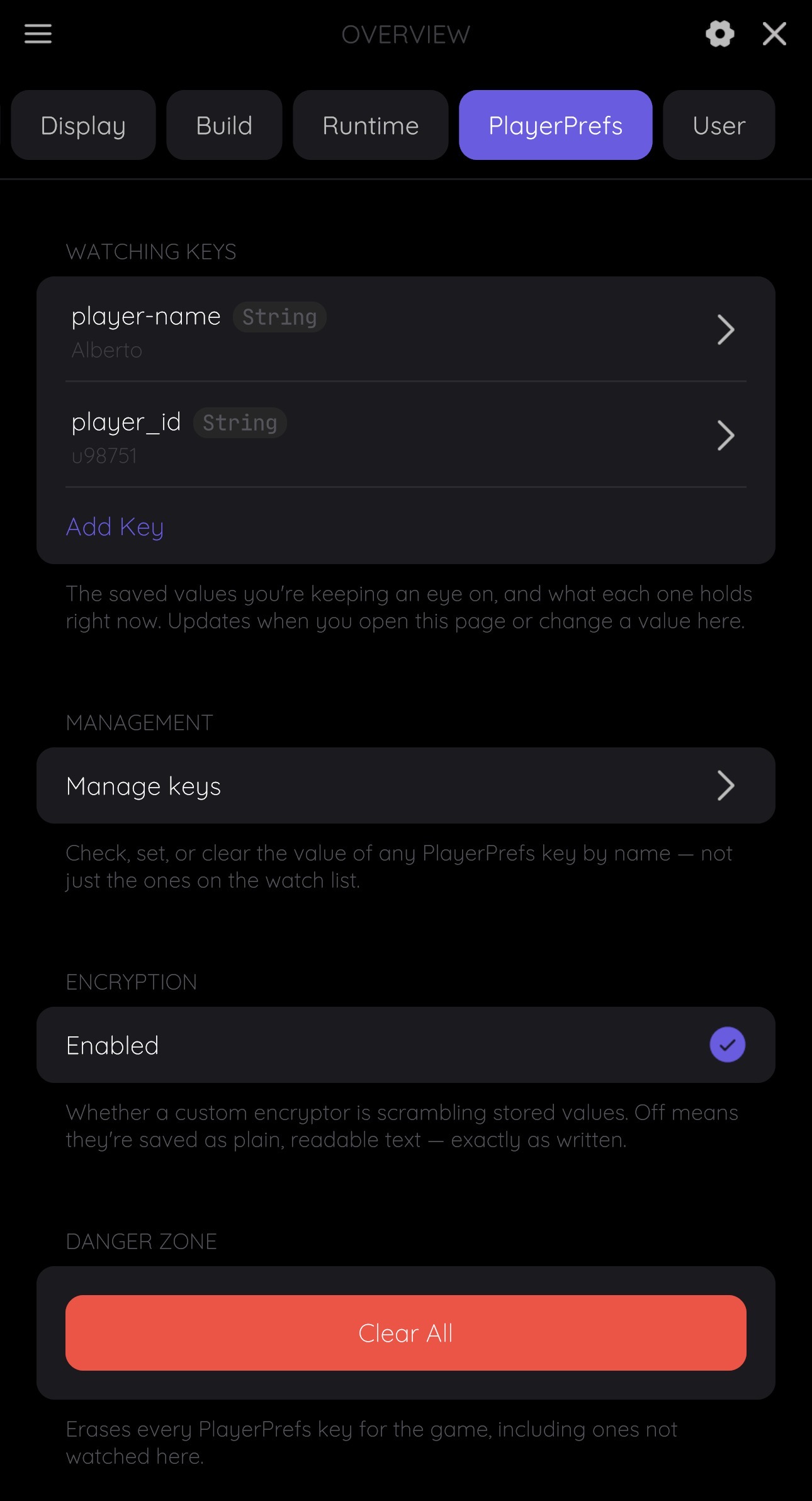
WATCHING KEYS
Add any PlayerPrefs key to the watch list to see it here, showing its live value and type at a glance.
Tap a watched key to:
- Set a new value
- Clear it
- Stop watching it
Manage Keys
A separate drill-down for checking, setting, or clearing any key by name — with its own Add to watch list button if you decide it's worth tracking. Useful for a one-off look at a key without cluttering WATCHING KEYS long-term, or as a way to inspect a key before adding it.
Encryption
An Encryption row reports whether the game has registered a custom IFludexPlayerPrefsEncryptor — see Encryption. This isn't FludeX encrypting anything itself: it's how the panel decrypts and displays the real value of a key the game already encrypts with its own scheme, instead of showing raw ciphertext. With none configured, values are shown exactly as stored.
Danger Zone
A single card clears every PlayerPrefs entry for the game at once — not just keys this tab is watching or managing — behind a confirm/cancel dialog.
See Also
- PlayerPrefs Access — the underlying
IFludexPlayerPrefsServicethis tab is built on - Encryption — how to tell FludeX about encryption the game already does